 3D character
Rellward · custom VRChat avatars
Custom VRChat avatars
Premium VRChat avatars with expressive faces, optimized PC and Quest builds and menus your community will actually use.
Who it's for
Avatars for people who live in VRChat
For creators, communities and brands who want an avatar that is theirs alone, and visible to everyone in the room.
Creators
Creators and performers
Streamers, hosts and regulars who spend hours a day in VRChat and want a face that reads in every world, on every headset.
Communities
Groups and communities
Clubs, roleplay worlds and groups that want a signature avatar for hosts, staff or members, built to one standard.
Events and brands
Events and brands
Launches, festivals and branded worlds that need a host or mascot avatar, with rights and dates agreed up front.
Scope
What every avatar includes
One studio handles the avatar from design to upload, so nothing is lost between hands.
Model
An original character with topology planned for expressions and full-body movement.
Textures
Hand-finished skin, fur, hair and outfits, with mobile-ready versions for the Quest build.
Rig
A humanoid rig with finger bones, tuned for desktop, VR and full-body tracking.
PhysBones
Hair, ears, tails and clothing that move naturally, set up inside the performance budget.
Expressions and face tracking
Gesture expressions, visemes and native face tracking with Unified Expressions, plus VRCFT where you need it.
Toggles and menus
Outfits, accessories and colour options in a clear expression menu with icons.
PC and Quest builds
A full PC build and a separate Quest build, each with an agreed performance target.
Upload support
We guide the upload to your own account on a call. Your login stays with you.
Performance
Performance ranks, in plain language
VRChat gives every avatar a rank from Excellent to Very Poor, based on what it costs to render. The rank decides who actually sees your avatar.
Triangles, material slots, PhysBones, texture memory and more are each rated, and the weakest one sets the overall rank. Viewers can hide avatars below a rank they choose.
On Quest, avatars ranked Poor or Very Poor are hidden by default, and other players see a fallback instead. A heavy Quest build is invisible to much of the room.
So we build a separate Quest mesh with reduced geometry, one atlased material, mobile shaders and a tighter PhysBones budget, while the silhouette and the face stay recognisable.
VRChat avatar performance ranks, explained| Stat | PC | Quest |
|---|---|---|
| Triangles | 70,000 | 10,000 |
| Material slots | 8 | 1 |
| PhysBones components | 8 | 4 |
| Texture memory | 75 MB | 18 MB |
VRChat's documented limits for a Good rank. The target for each build is confirmed in your proposal.
Face tracking
Native face tracking, built in
Your expressions, carried into the room without extra tools.
VRChat now reads face tracking natively. Since SDK 3.10.6, the avatar descriptor maps your face to the Unified Expressions standard, with eye gaze driven by bones, blendshapes or both.
We build the facial shapes to that standard, so full face tracking works out of the box. An avatar that covers every tracking key shows the full face-tracking icon on its avatar page.
Face tracking counts toward the performance rank, so the face is planned inside the same budget as the rest of the avatar. Already using VRCFT? We keep the avatar compatible with it.
- Standard
- Unified Expressions
- Eye gaze
- Bones, blendshapes or both
- Also works with
- VRCFT
Quality
Checked in VRChat before handoff
An avatar is finished when it works in a world, with real lighting, friends nearby and menus in use.
- Expressions, visemes and gestures checked in a mirror, in desktop and in VR
- Face-tracking keys mapped and checked against the Unified Expressions set
- PhysBones checked for clipping while walking, sitting and dancing
- Every toggle and menu item tried on both builds
- The performance rank of each build confirmed in the SDK build panel
- PC and Quest builds set up under one Blueprint ID
Proof
Avatars built for PC and Quest
Studio builds with their VRChat data. Each one links to the full case.
-
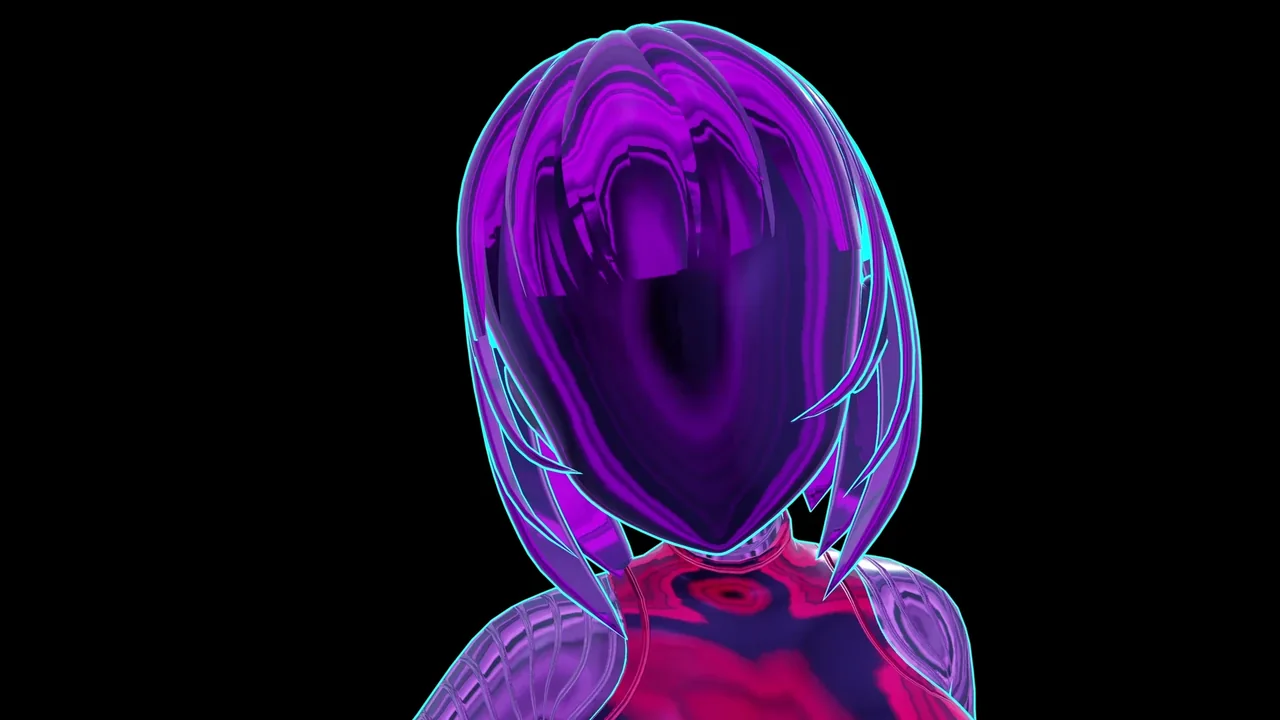
Sci-fi android · PC and Quest
NUVIA-01
One silhouette, ten material directions and two builds under one Blueprint ID.
- PC build
- ≈64,000 triangles · 5 material slots · 138 bones
- Quest build
- ≈15,000 triangles · 1 atlased material slot · Medium rank
- Variants
- 10 material directions · PhysBones · AudioLink variants
-
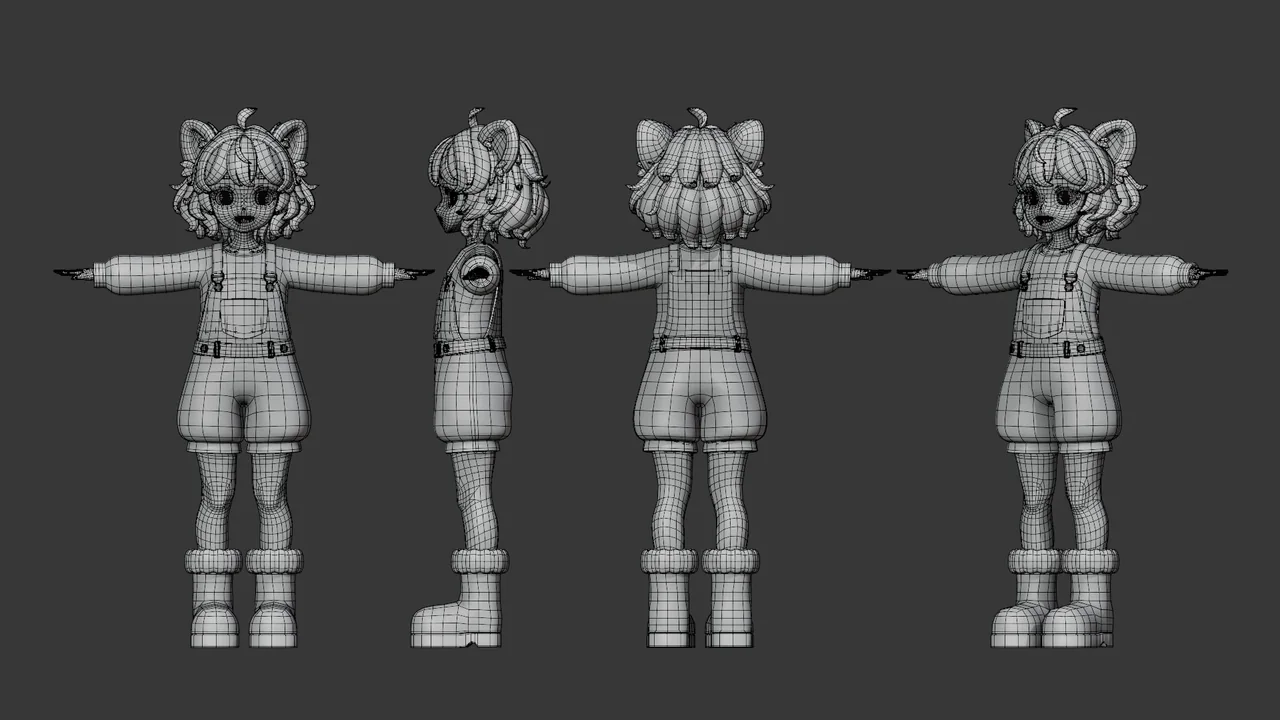
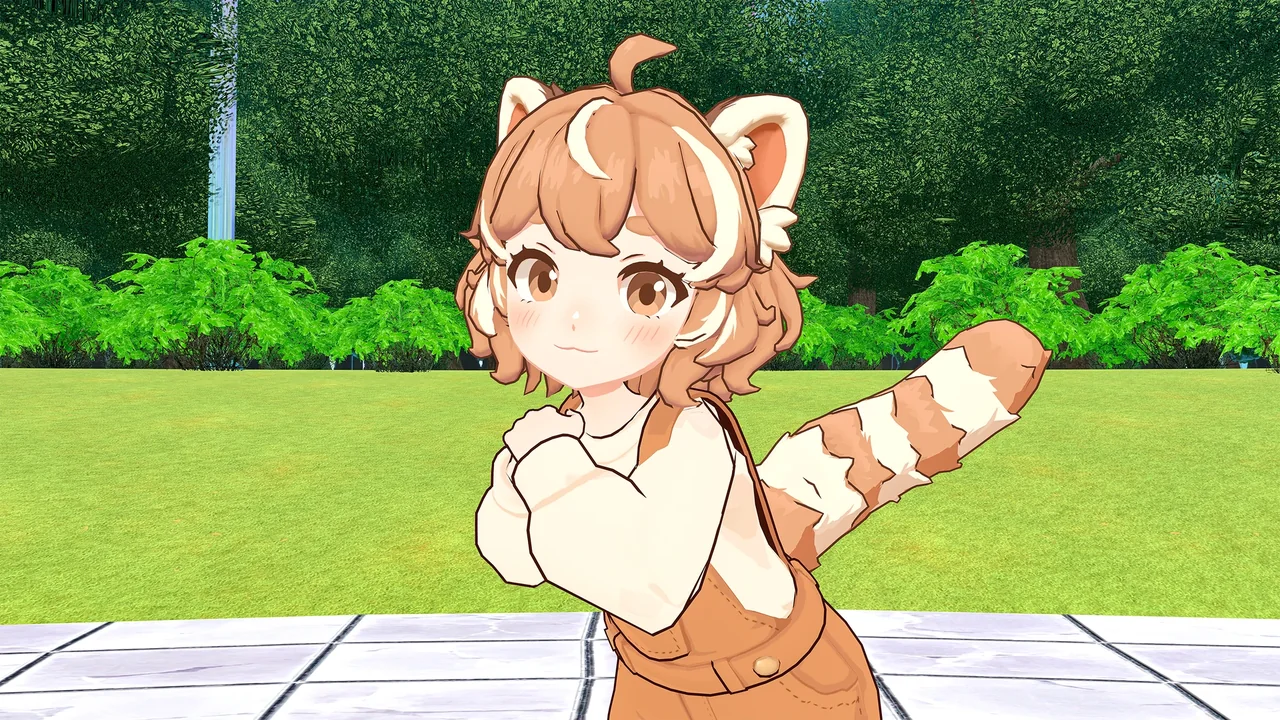
Stylized red panda · PC and mobile
NumiNumi
A compact character kept light enough to rank Good on PC and on mobile.
- PC build
- 53,496 triangles · 6 material slots · 127 bones · Good rank
- Mobile builds
- Quest, Android and iOS · Good rank
- Delivered
- UnityPackage · Blender · FBX · PSD / UV
-
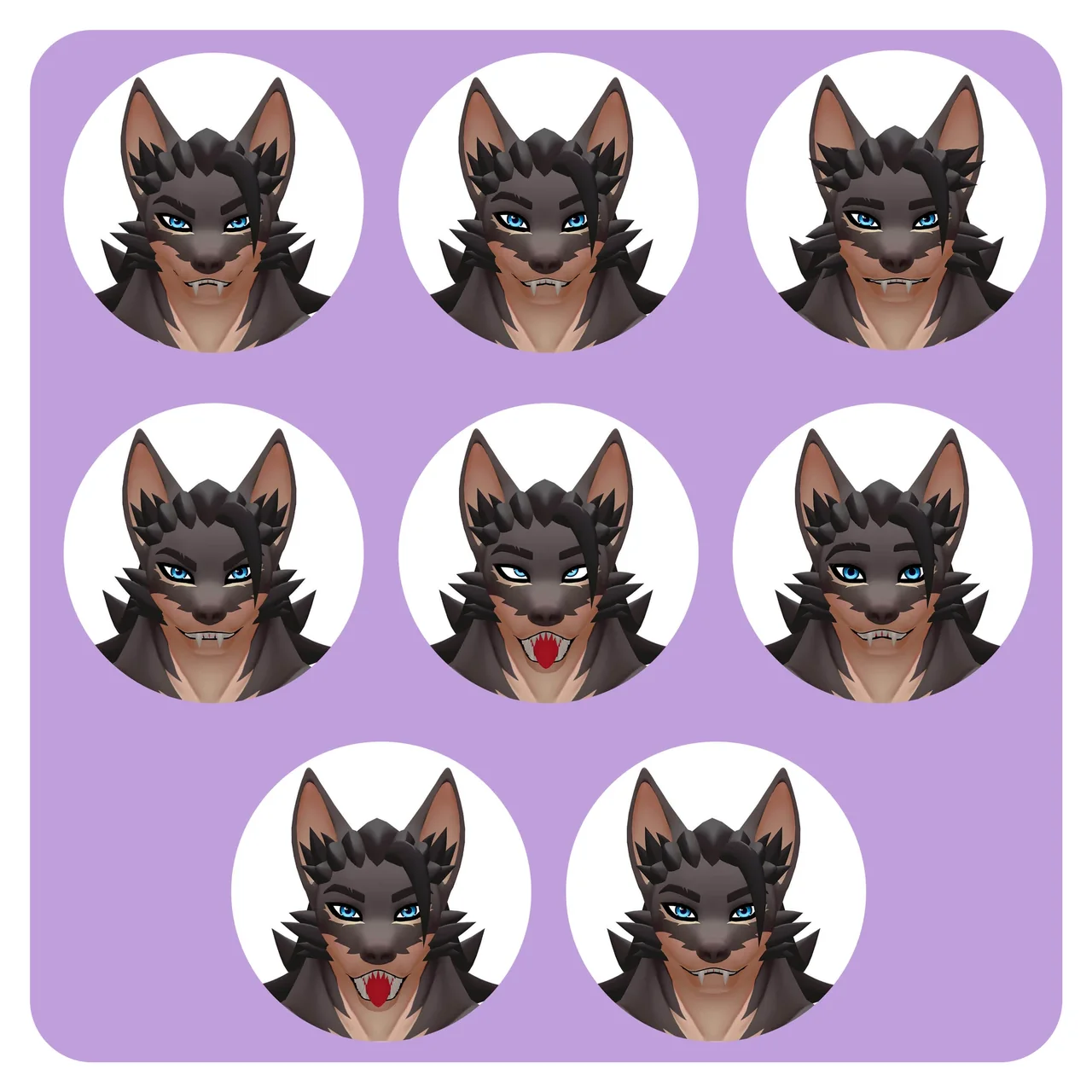
Creature base · variant
Brutus and Rocco
Brutus is a base built to become many avatars. Rocco is the first, with his own silhouette and wardrobe.
- Brutus
- 104 shape keys · 40,393 triangles · PC and Quest builds
- Rocco PC build
- 66,648 triangles · 6 material slots · 4 PhysBones components · Good rank
- Rocco
- 111 shape keys, face and outfit toggles
-
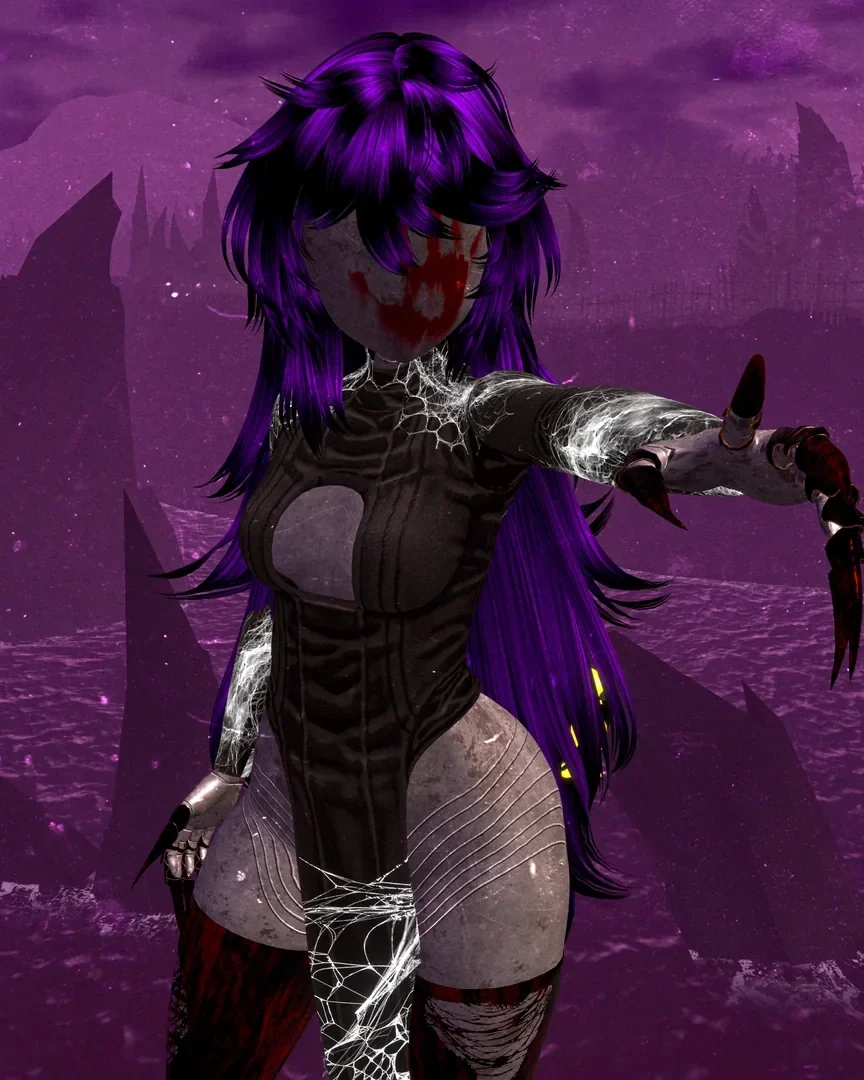
Sci-fi character · variants
Sukal
One character, distinct forms, packaged for three performance levels.
- Builds
- Full PC · optimized PC · Quest, Android and iOS
- Variants
- 3 outfit sets · 2 hairstyles · 2 tails
Hair, outfits, the mask and props are licensed assets; the base treatment, surfaces, variant setup and builds are by Rellward.
Investment
Investment
Custom VRChat avatars start at US$ 4,000. Every proposal is scoped to your avatar, with builds, rank targets, rights and dates in writing.
What sets the price
- A Quest build alongside PC
- Number of outfits and toggles
- Native face tracking
- Hair, fur and tail physics
- Commercial or full rights
- Dates tighter than the standard timeline
Process
From brief to your first world
Four stages, each one approved before the next begins.
Brief
Your character, platforms, toggles and date. We reply with questions and a scoped proposal.
Design approval
Silhouette, proportions and the face are approved before the build starts.
Build and review
Model, textures, rig and expressions reviewed in stages, then each build checked against its target.
Upload and support
Upload to your account with our guidance, plus setup notes for every toggle and menu item.
FAQ
Questions about VRChat avatars
Do you build for both PC and Quest?
What performance rank will my avatar get?
Does the avatar support face tracking?
Who uploads the avatar?
How long does a custom VRChat avatar take?
Can a community or brand use the avatar commercially?
Third-party tools used in the builds shown: Poiyomi Toon Shader, lilToon, VRCFury, Modular Avatar and GoGo Loco by Franada.
Start a project
Tell us about your character
Share your character, the platforms you need and the toggles your community will use. Vitor reviews every brief personally and replies with the next step.