 3D character
Guide · 9 min read
ARKit 52 blendshapes explained
ARKit’s 52 blendshapes are the facial movements Apple’s face tracking measures, from a blink to a tongue out, and a 3D character that carries all 52 under their exact names lets a tracking app drive its face with no manual setup.
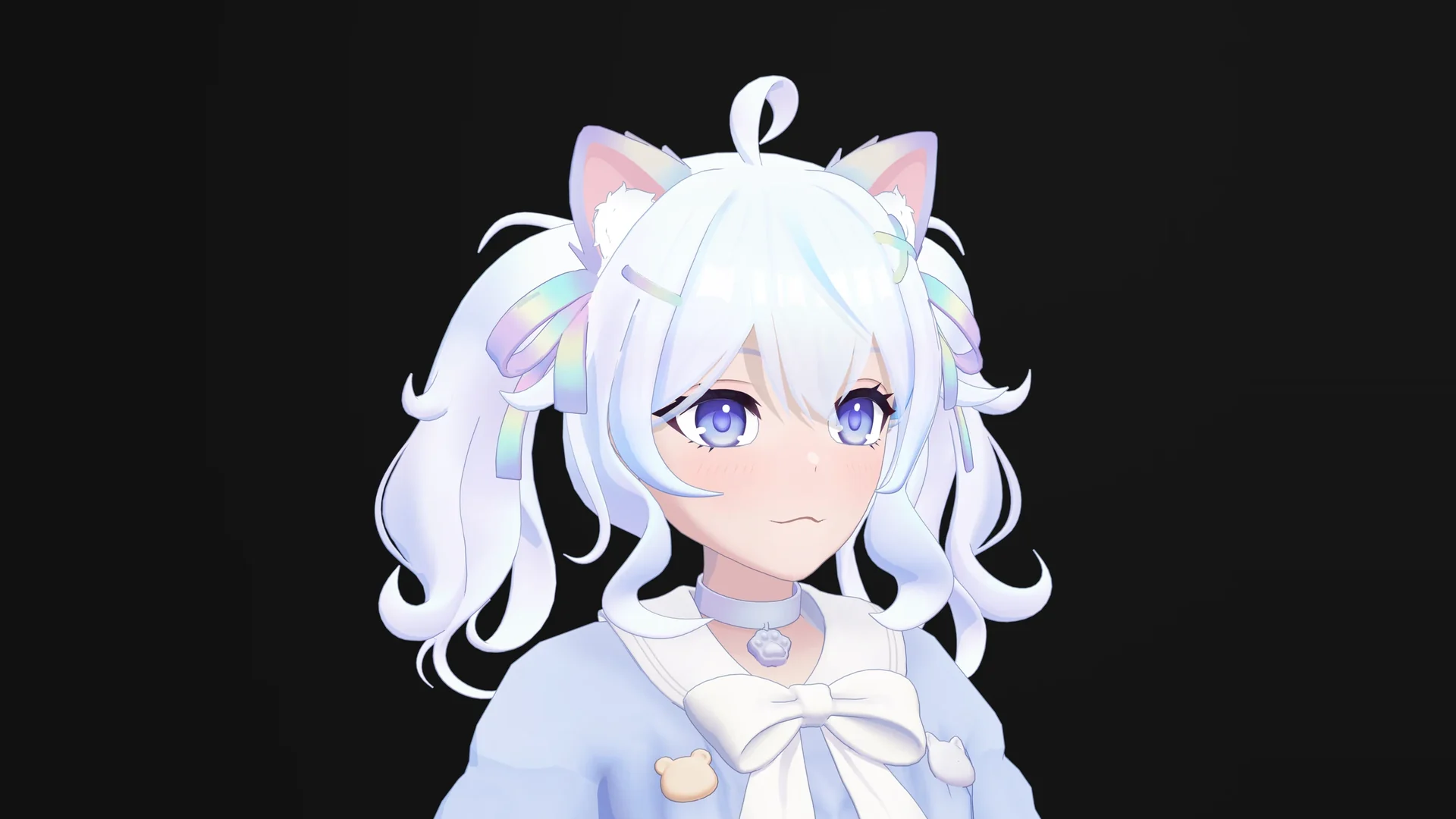
What the 52 blendshapes are
Apple’s ARKit can track a face through the front camera of a supported iPhone or iPad. For every frame, it reports 52 values, one for each facial movement it recognizes: how closed the left eyelid is, how far the jaw is open, how high the right corner of the mouth is lifted. Each value runs from 0.0, neutral, to 1.0, the maximum movement, as Apple’s ARFaceAnchor.BlendShapeLocation reference describes.
A 3D character answers those values with blendshapes: sculpted versions of its own face, stored on the same mesh, that move the same vertices into a new position. Blender calls them shape keys; other tools call them morph targets. The tracking app reads each ARKit value and sets the weight of the matching shape. Eyelid 60% closed, blink shape at 0.6. One value, one shape, 52 times per frame.
That is the whole contract. The camera supplies the numbers. The model has to supply 52 shapes that look right at every weight between 0 and 1, on their own and in combination.
Left and right are the face’s own sides. eyeBlinkRight closes the character’s right eye, which is on your left when the character faces you. Apple’s tracking view mirrors the camera image, so the same eye appears on the right there. That mirror makes it easy to swap a pair by accident.
All 52, by face region
Apple’s reference groups the names into the left eye, the right eye, the mouth and jaw, the eyebrows, cheeks and nose, and the tongue. The table below splits them by face region and puts each left and right pair on one row. The descriptions are short paraphrases of Apple’s.
| Name | What it drives |
|---|---|
| Eyes · 14 | |
eyeBlinkLefteyeBlinkRight | Closes the eyelids. |
eyeLookUpLefteyeLookUpRight | Moves the eyelids with an upward gaze. |
eyeLookDownLefteyeLookDownRight | Moves the eyelids with a downward gaze. |
eyeLookInLefteyeLookInRight | Moves the eyelids with a gaze toward the nose. |
eyeLookOutLefteyeLookOutRight | Moves the eyelids with a gaze toward the ear. |
eyeSquintLefteyeSquintRight | Tightens the face around the eye. |
eyeWideLefteyeWideRight | Opens the eyelids wide. |
| Eyebrows · 5 | |
browDownLeftbrowDownRight | Lowers the outer part of the brow. |
browInnerUp | Raises the inner ends of both brows together. |
browOuterUpLeftbrowOuterUpRight | Raises the outer part of the brow. |
| Cheeks · 3 | |
cheekPuff | Pushes both cheeks outward. |
cheekSquintLeftcheekSquintRight | Lifts the cheek around and below the eye. |
| Nose · 2 | |
noseSneerLeftnoseSneerRight | Raises the side of the nose at the nostril. |
| Jaw · 4 | |
jawOpen | Opens the lower jaw. |
jawForward | Pushes the lower jaw forward. |
jawLeftjawRight | Moves the lower jaw to one side. |
| Mouth · 23 | |
mouthClose | Closes the lips, independent of the jaw. |
mouthFunnel | Shapes both lips into an open funnel, as in “oo”. |
mouthPucker | Gathers and presses the closed lips forward. |
mouthLeftmouthRight | Moves both lips together to one side. |
mouthSmileLeftmouthSmileRight | Lifts the corner of the mouth. |
mouthFrownLeftmouthFrownRight | Pulls the corner of the mouth down. |
mouthDimpleLeftmouthDimpleRight | Pulls the corner of the mouth back. |
mouthStretchLeftmouthStretchRight | Pulls the corner of the mouth out to the side. |
mouthRollLowermouthRollUpper | Rolls the lower or upper lip in toward the teeth. |
mouthShrugLowermouthShrugUpper | Pushes the lower or upper lip outward. |
mouthPressLeftmouthPressRight | Presses the lower lip up on one side. |
mouthLowerDownLeftmouthLowerDownRight | Pulls the lower lip down on one side. |
mouthUpperUpLeftmouthUpperUpRight | Lifts the upper lip on one side. |
| Tongue · 1 | |
tongueOut | Extends the tongue. |
The count by region: 14 for the eyes, 5 for the brows, 3 for the cheeks, 2 for the nose, 4 for the jaw, 23 for the mouth and 1 for the tongue. Almost half of the set lives around the lips. That is why mouth topology decides how good a tracked face looks; our guide to face topology for animation covers the edge flow it needs.
Three shapes that need extra care
mouthClose. Apple defines it as lip closure independent of the jaw. It is built and judged together withjawOpen: jaw open, lips sealed. On its own it can look broken, and that is expected.- The four look pairs. They describe the eyelids following the gaze. Many setups turn the eyeballs with eye bones and use these shapes for the lids around them, so a model often needs both.
tongueOut. It needs a modeled tongue, teeth and inner mouth. A head built without them cannot carry this shape.
Exact names, or nothing
A tracking app never looks at what a shape does. It looks at the name. It takes the value Apple calls jawOpen and searches the model for a shape called jawOpen. If nothing matches, nothing moves, and the model simply ignores that part of your face.
Apps differ in how forgiving they are. Luppet’s documentation counts a model as Perfect Sync only when all 52 are implemented, and treats the names as case-sensitive. VMagicMirror ignores capitalization by default, and warns that names which differ only in case may not behave correctly. Neither can guess that a shape called jawFoward was meant to be jawForward.
“Perfect Sync” is the name several VTuber apps give this full 52-shape mapping. VRM models wrap the shapes in named expression clips, and the same rule applies to the clip names. Game-engine capture pipelines that stream ARKit values work the same way, or through a remap table that someone maintains by hand.
Naming rules that hold everywhere
- Use Apple’s spelling and capitalization: lower camel case, with Left or Right at the end.
eyeBlinkLeft, notEyeBlink_Loreye_blink_left. - Left and Right are the face’s own sides.
- One shape per name. Two shapes whose names differ only in capitalization confuse case-insensitive apps.
- No prefixes or suffixes, unless your app or engine pipeline asks for them.
- Check the names with a script against Apple’s list, not by eye. A missing letter in a 19-character name is easy to read past.
Six names, one letter at a time
Here is a real example. In an audit of a finished anime character file for this guide, all 52 ARKit shapes were there and sculpted. Six of them carried misspelled names:
| Apple’s name | Name in the file |
|---|---|
jawForward | jawFoward |
mouthStretchLeft | mouthStrechLeft |
mouthStretchRight | mouthStrechRight |
cheekPuff | cheeckPuff |
cheekSquintLeft | cheeckSquintLeft |
cheekSquintRight | cheeckSquintRight |
Each of those shapes moved correctly when its slider was dragged in Blender. A tracking app that maps by name would find 46 of the 52. The jaw would never push forward, the mouth corners would never stretch, and the cheeks would never puff or lift.
Two lessons came out of it. First, a shape that moves in the 3D app proves the sculpt, not the mapping; only a name check proves the mapping. Second, a quick live test misses these shapes easily, because few people puff their cheeks or push their jaw forward when they first try a model. A scripted comparison against Apple’s list catches what the live test does not. The fix is a rename, not a new sculpt.
A real face: LueLue
LueLue is an anime character built around expression. Her facial system holds 99 working shape keys on a mesh of 69,637 triangles and 137 bones:
| Group | Shape keys | What it does |
|---|---|---|
| ARKit set | 52 | Driven by face tracking, one shape per Apple value |
| Visemes | 15 | Mouth shapes for lip sync from audio |
| Authored expressions | 18 | Full-face poses on hotkeys or gestures |
| Toggles and controls | 14 | Accessories and details switched on and off |
| Total | 99 | One shape set for tracking, speech and gestures |
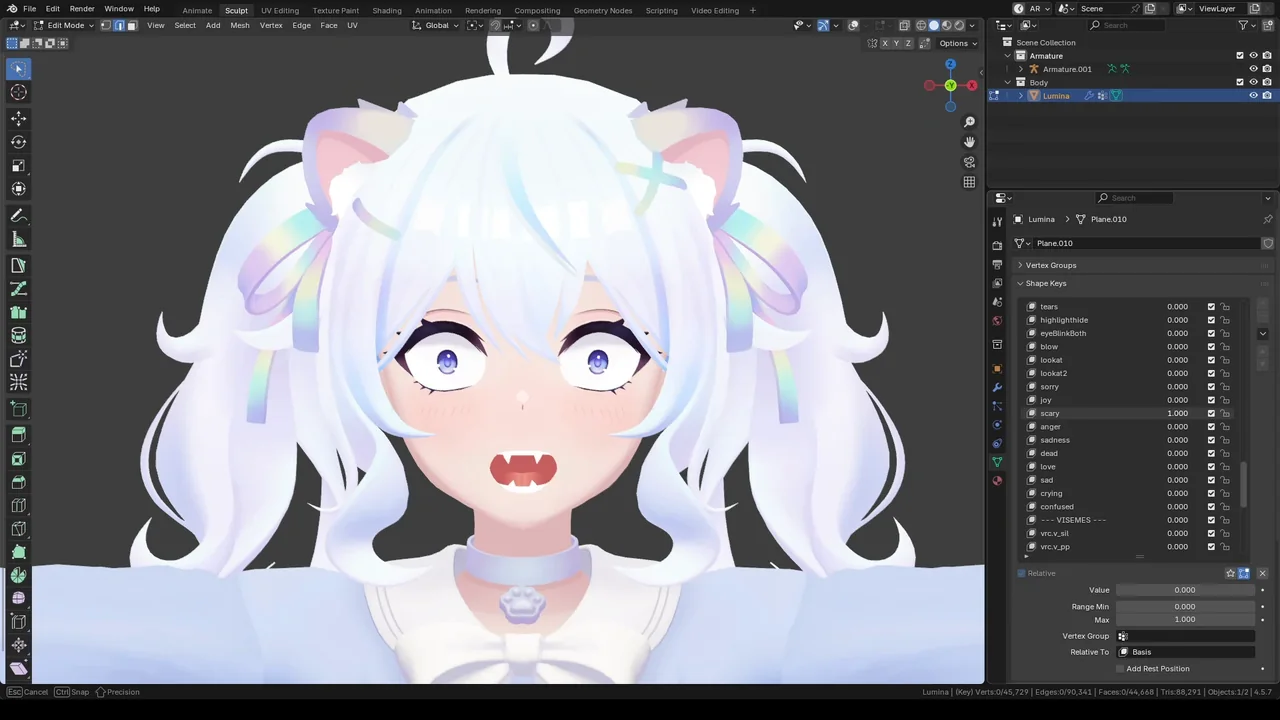
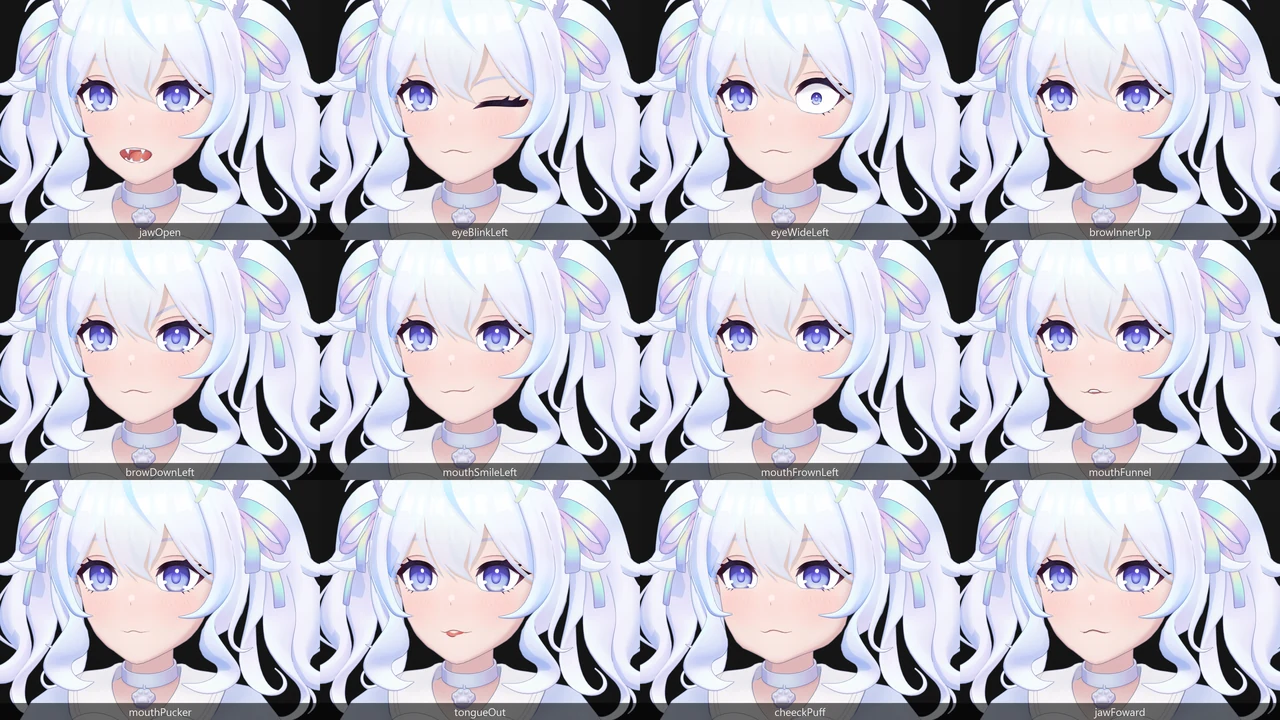
Visemes vs ARKit
Visemes are mouth shapes for speech sounds. They are driven by the microphone instead of the camera: the app listens, estimates the sound being made and blends toward the matching mouth. Meta’s Oculus Lipsync viseme reference defines a set of 15: sil for silence, PP for p, b and m, then FF, TH, DD, kk, CH, SS, nn, RR and the vowels aa, E, I, O and U. VRM’s own presets cover five vowels.
| Aspect | ARKit 52 | Visemes |
|---|---|---|
| Driven by | The camera, through face tracking | The microphone, through audio |
| Covers | Eyes, brows, cheeks, nose, jaw, mouth and tongue | The mouth only |
| Strength | Real timing, asymmetry and emotion | Clear speech shapes with no camera at all |
| Limit | Needs a tracker that outputs ARKit values | Cannot show a smile, a frown or a blink |
| Names | Apple’s 52 | Meta’s 15, or VRM’s five vowels |
You rarely have to choose. Carrying both keeps your options open: ARKit shapes when a tracker can see your face, visemes when it cannot, or when you stream without one. In a game, visemes or a jaw-and-lip setup often handle recorded dialogue, and the ARKit set comes in when the team captures performances with a phone. LueLue carries the 52 and the 15 side by side.
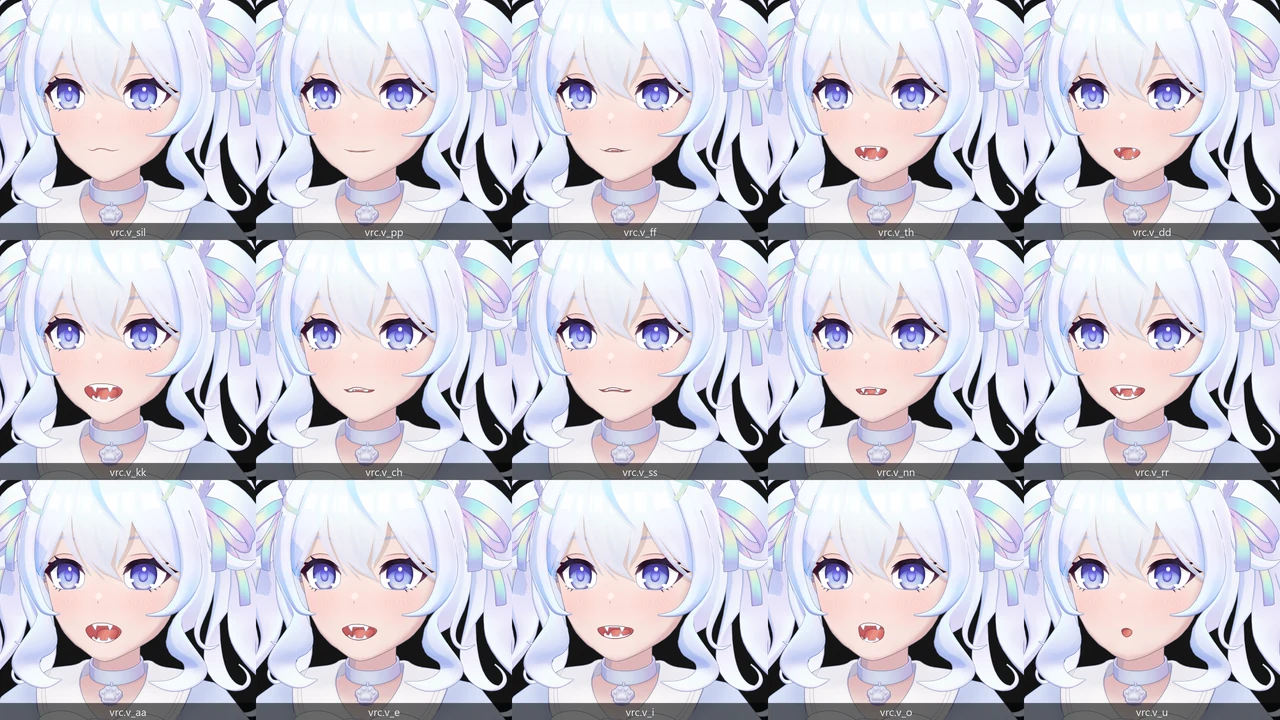
vrc.v_ prefix is the naming VRChat’s lip sync expects; the mouth shapes follow the Oculus set.How many custom expressions to add
ARKit measures what a human face does. It cannot produce what a human face cannot: heart-shaped pupils, sparkling eyes, tears, a blush, a cartoon scream, white-out eyes. Those are custom expressions, sculpted by hand and triggered by a hotkey or a gesture instead of the camera.
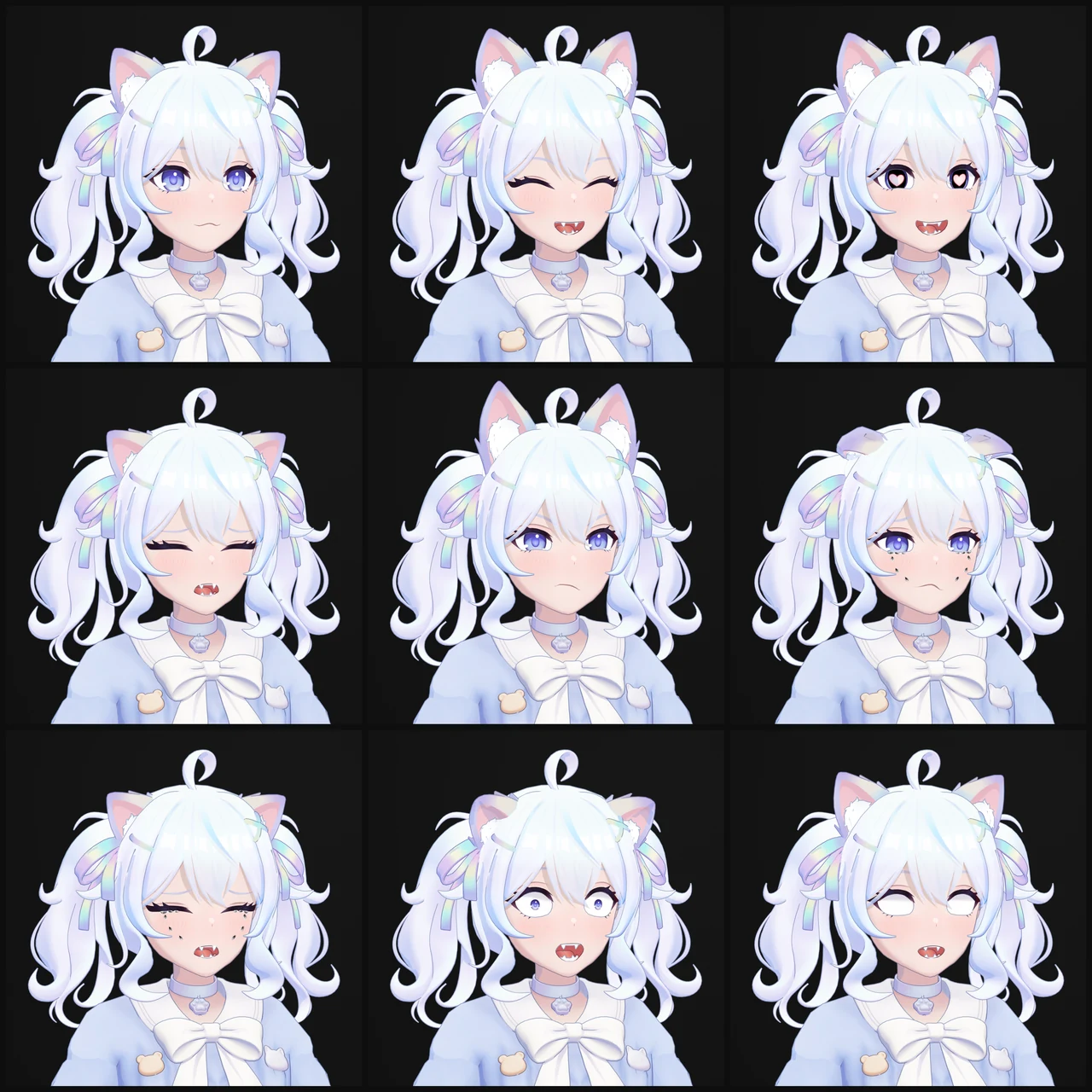
There is no right number. LueLue has 18, which suits a character sold on expression. A practical way to find yours:
- List the reactions your audience or players know the character for.
- Remove anything tracking already does well. A tracked smile beats a canned one.
- Keep what needs stylization: eye shapes, effects, extreme mouths.
- Count the triggers. Every expression needs a hotkey or gesture you will remember live. If you cannot trigger it under pressure, it will not get used.
- Decide how each one behaves with tracking: does it replace the face, or sit on top of it, like a blush over a live smile?
Expressions can also come later. A new expression is a new shape; it does not touch the 52 ARKit shapes, as long as the mesh keeps the same topology. Start with the ones you will use every stream or every scene, and add the rest when you notice you miss them.
A handoff checklist
Before you accept a facial system, check these points, or ask your artist to show them:
- All 52 ARKit names present, matched by script against Apple’s list, with exact spelling and capitalization.
- Left and Right follow the face’s own sides.
mouthClosetested together withjawOpen.tongueOutbacked by a modeled tongue, teeth and inner mouth.- Every shape checked at full weight and in common pairs: blink with smile, jaw open with smile, squint with cheek squint.
- Visemes named the way your app or engine expects.
- Custom expressions listed with their triggers.
- A written map of every shape key delivered with the files.
Need a facial system built to this list? See character rigging and facial systems, or, for streamers, custom 3D VTuber models. Planning the budget first? Read how much a custom 3D VTuber model costs.
Sources
Sources: Apple, ARFaceAnchor.BlendShapeLocation, Meta, Oculus Lipsync viseme reference, Luppet, Perfect Sync FAQ, VMagicMirror, Perfect Sync tips, Blender manual, shape keys.
